- Booking platform
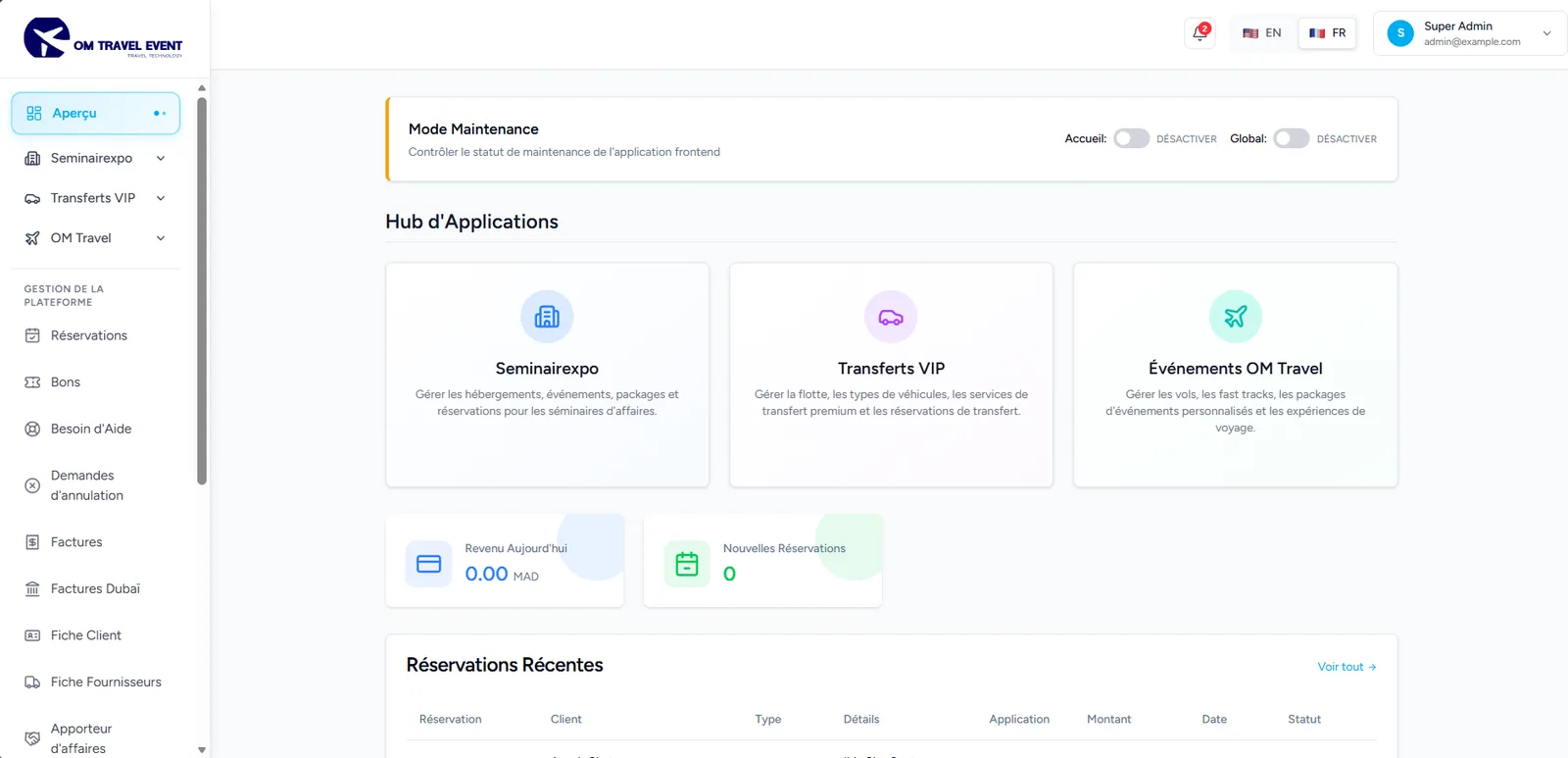
- Multi-app back office
- Online payments
OM Travel
- Sector
- Travel & events
- Delivered as
- Website
- Back office
- Languages
- FR / EN
“Explorez votre lieu de séjour”
(The project)
A booking platform for event travel: customers buy hotels, flights, airport transfers, fast tracks, restaurants and city tours around a conference in one checkout, while three businesses run inventory, payments, invoices and vouchers from a single back office.
(Context)
One platform where most agencies run five spreadsheets.
Event organisers and travel agencies sell hotel packages, flights, transfers and tours around seminars and conferences. Sold through separate tools, bookings, payments, invoices and vouchers drift apart and staff re-key the same data.
OM Travel puts the whole chain on one Laravel back office shared by three businesses, SeminairExpo, OM Travel Events and VIP Transferts. Customers browse per-event catalogues and check out once; admins manage inventory, bookings, wallets, cash, invoices and vouchers.
(Key figures)
- businesses on one back office
- 3
- payment methods
- 6
- display currencies
- MAD / EUR / USD
- client and back office
- FR / EN
The decisions that shaped it
Three apps, one back office
Each business has its own area in the back office, and users only see the apps they are granted. A shared core keeps bookings, invoices and customers consistent.
Isolated access
Two levels of permission
Global permissions per action are combined with per-item delegation, so one event, flight or transfer can be entrusted to one admin.
Least privilege
One rule for every payment
A single payment service splits each booking between wallet and bank for every method, from cash to card to payment link, for new bookings and pay-later requests alike.
Consistent money
Documents follow payment
A paid booking triggers its PDF voucher by email and its invoice automatically, after a signed and idempotent Stripe webhook confirms the payment.
No manual follow-up
(How it works)
A card checkout
Build the cart
The customer adds hotels, transfers or tours for an event and opens checkout, with prices shown in their currency.
Create the booking
The booking is validated, its payment split computed and the admins notified.
Pay by card
A Stripe payment is created for the customer’s own booking and paid in the page.
Confirm and issue
The webhook marks the booking paid, then the voucher PDF and the invoice are issued and emailed.
Inside the project
Captures of the delivered build, grouped by product. Select one to see it at full size.
Website
Visuals to come
Back office
1 captures
Technology
- Front end
- React 18
- Vite 5
- React Router 6
- Tailwind CSS 4
- SWR
- Back end
- Laravel 12
- Sanctum 4
- MySQL
- Back office
- Blade
- Livewire 3
- Filament
- Alpine.js
- Payments
- Stripe
- Badges & documents
- DomPDF
- mPDF
- Laravel Excel








(Next project)
Capstone Academy
Education